Northbound
Northbound brings prospecting, contact, replies and opportunity follow-up into one product.
Explore the project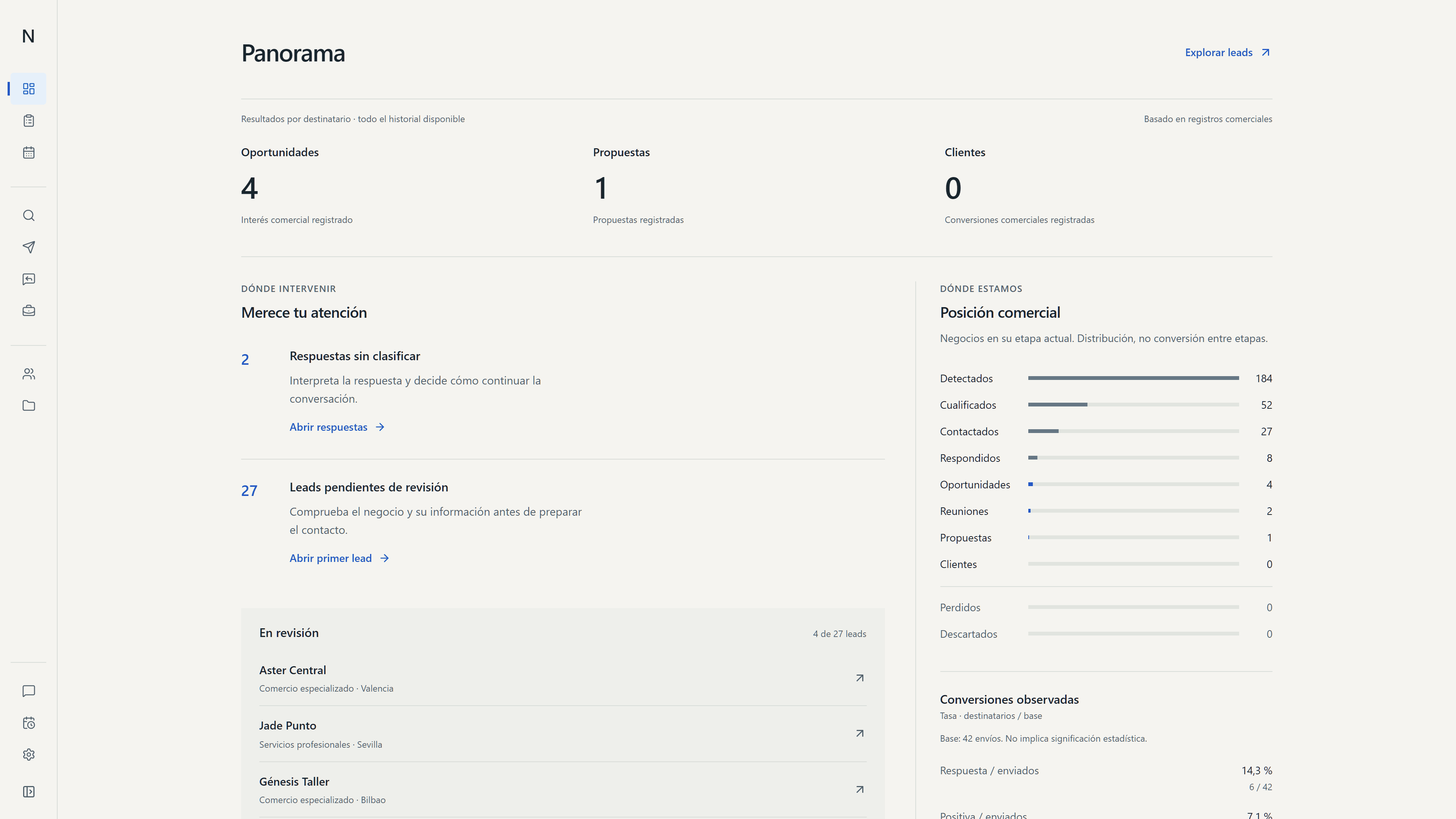
Prospecting and follow-up were spread across several views.
Every contact needs a record and a next step.
Between reviewing companies, reaching out and logging replies, it was easy to lose track of what had happened with each opportunity. Northbound brings that activity together so the team can check its status and decide who to contact next.
The opening view brings sales activity together.
Panorama brings together metrics, recent replies and open opportunities. From there, the team can open a lead, review its activity and decide which contact needs attention.
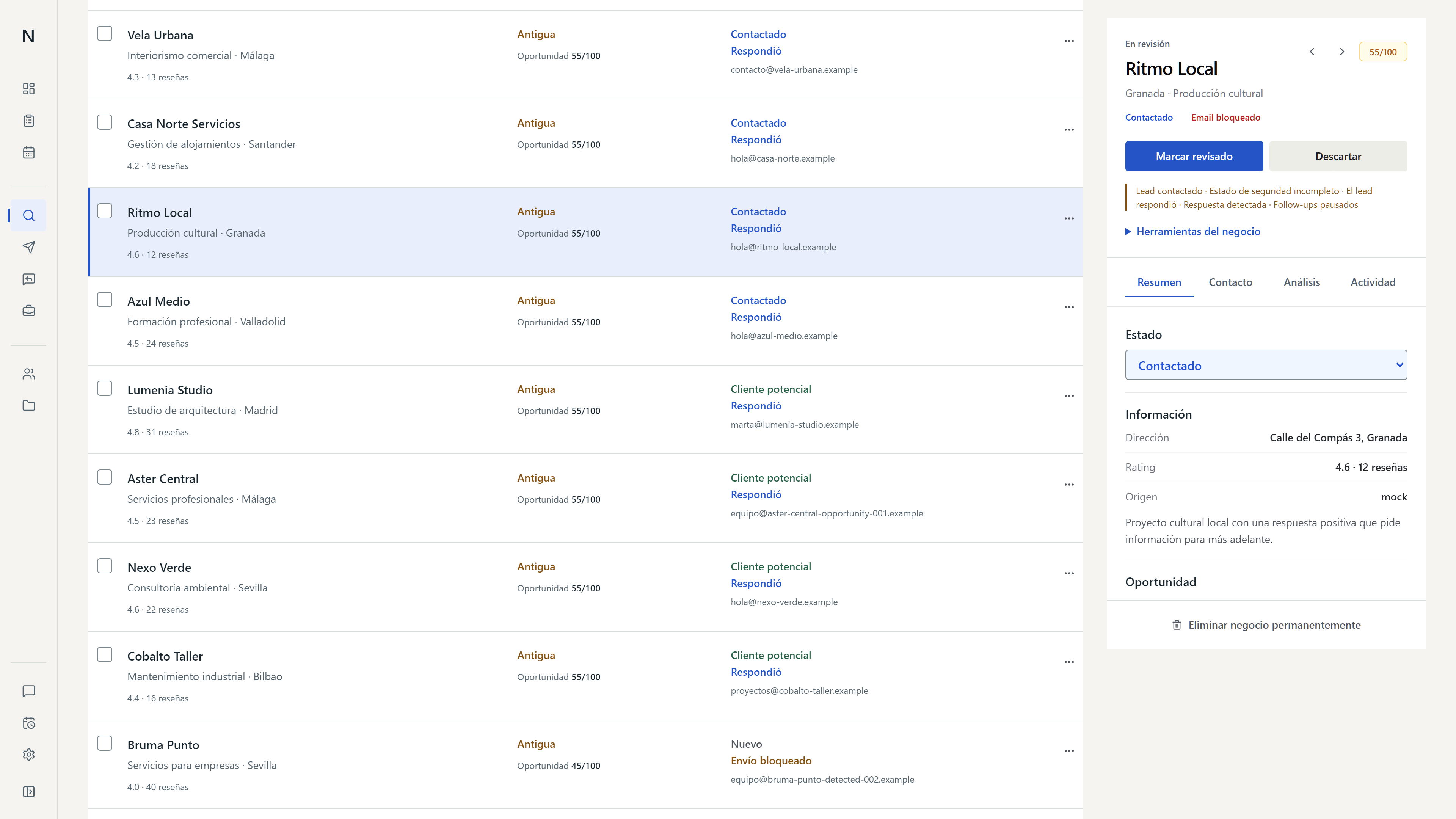
Each lead record shows its activity.
The history helps the team decide who to contact and when to pick up the conversation.
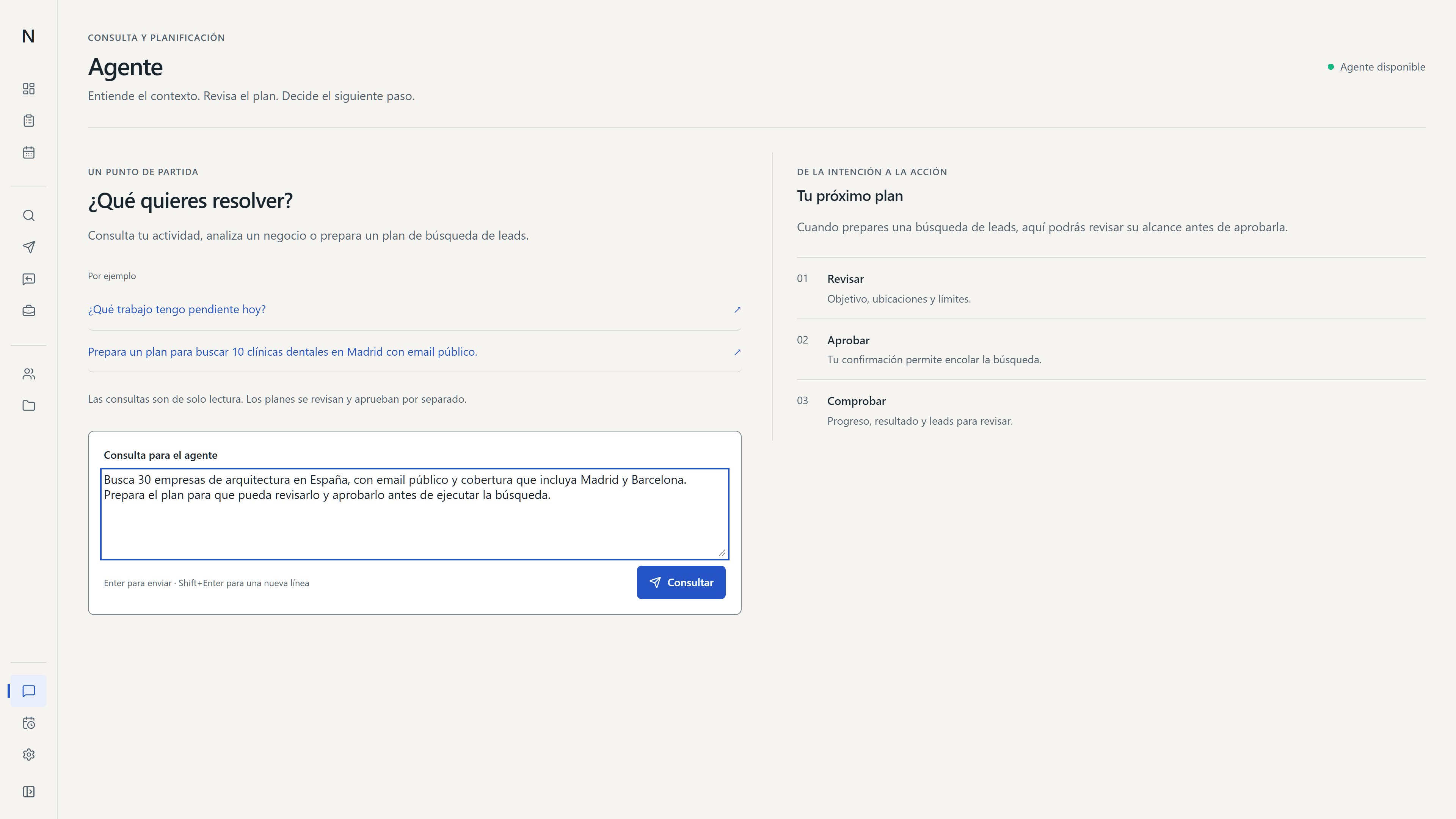
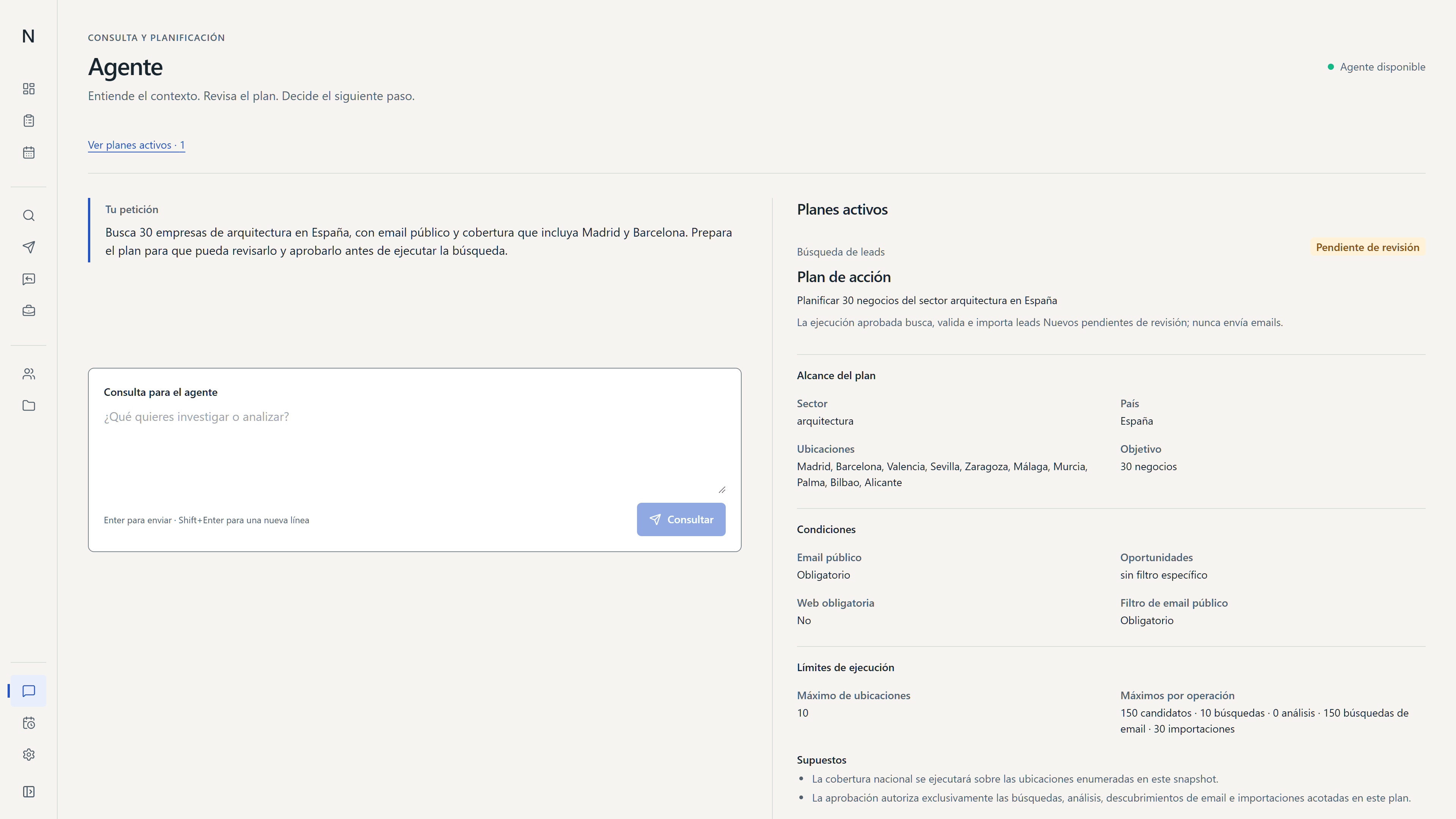
Agent proposes steps from a goal.
The team reviews each step before running it.
The request becomes editable tasks. Once reviewed, routines can be saved in Automations so the team can check their status and latest result.
Editable steps before starting.
Agent turns the request into tasks the team can review and adjust.
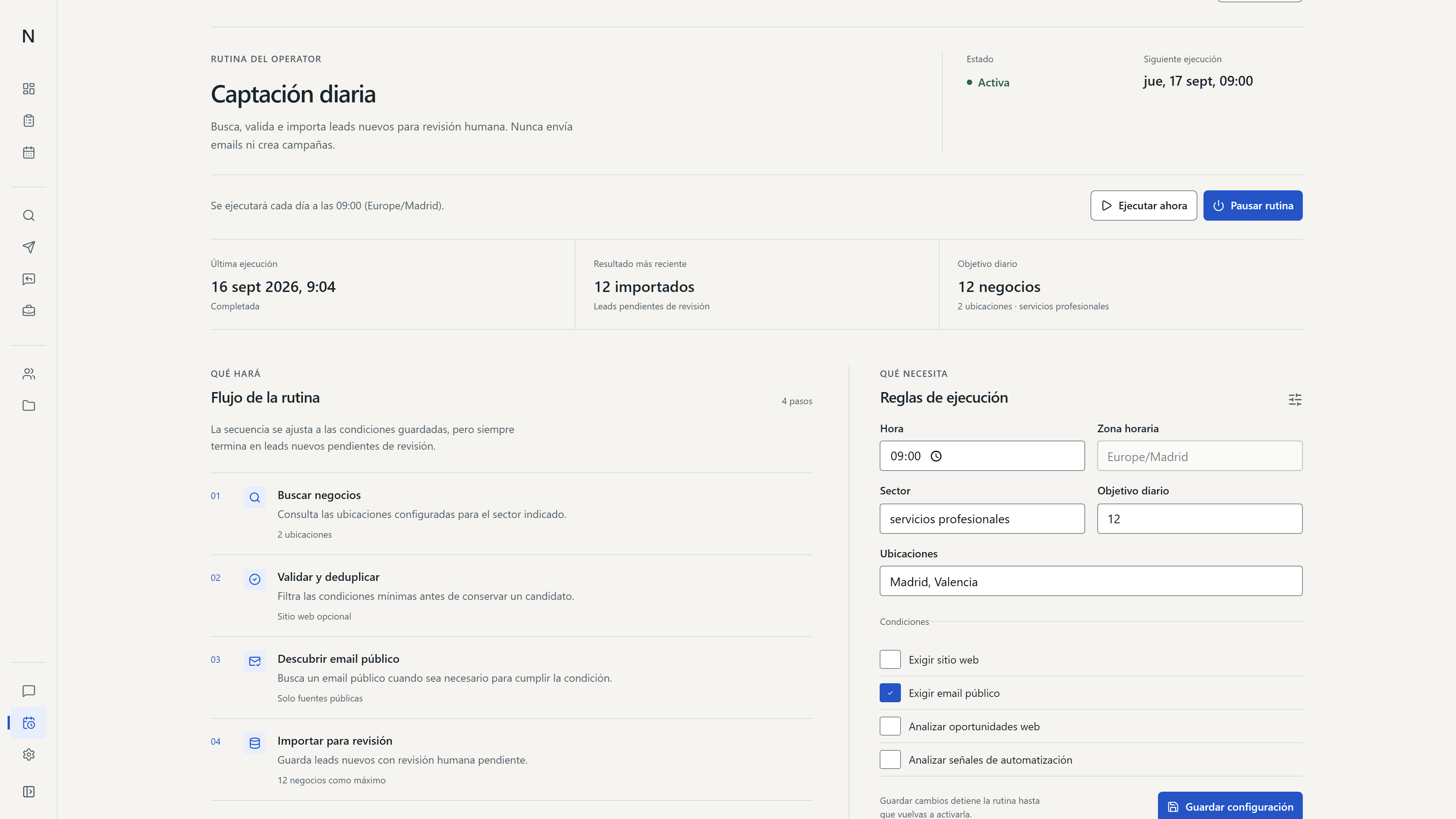
Routines show their status.
Each run keeps its steps and latest result visible.
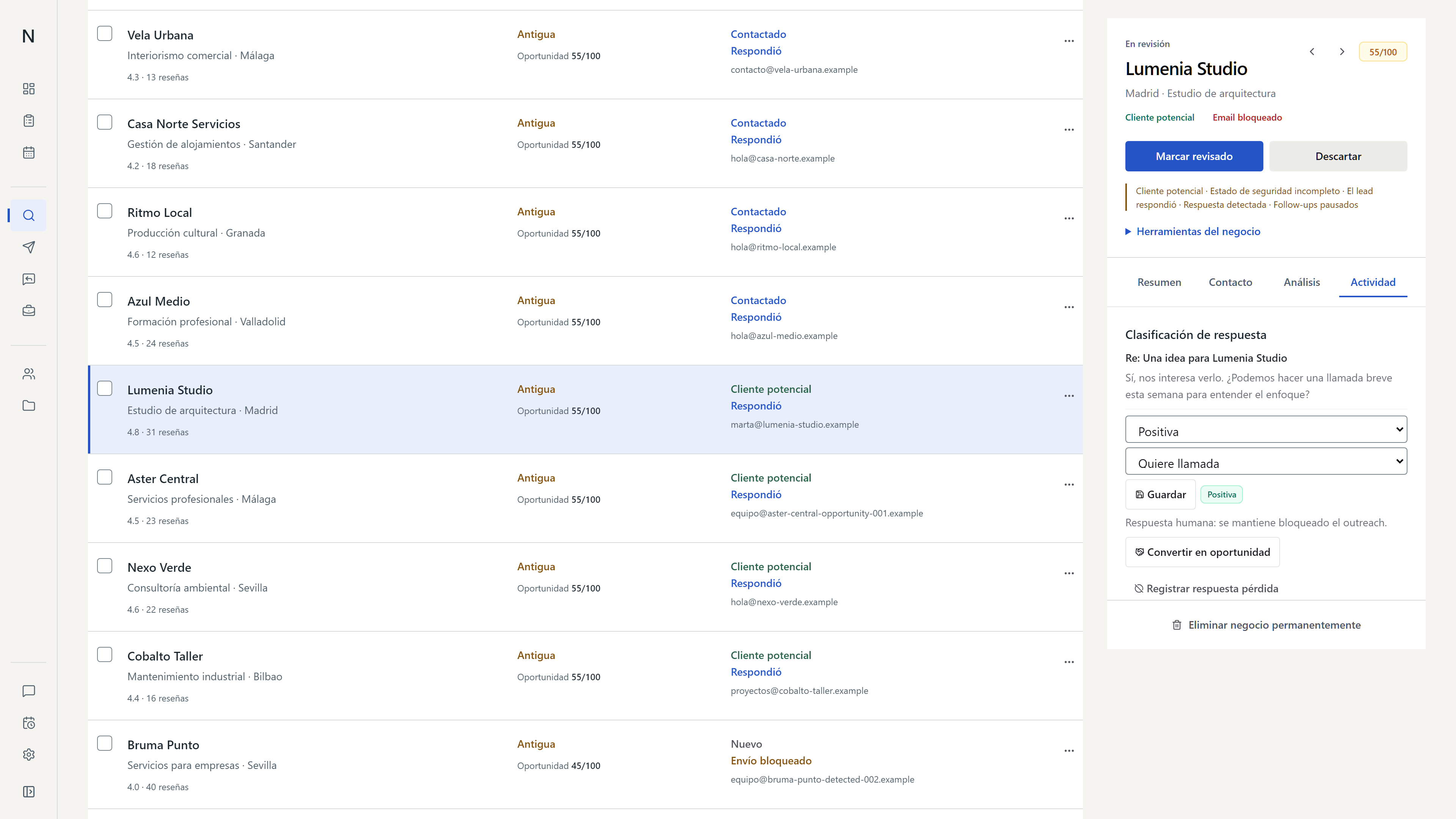
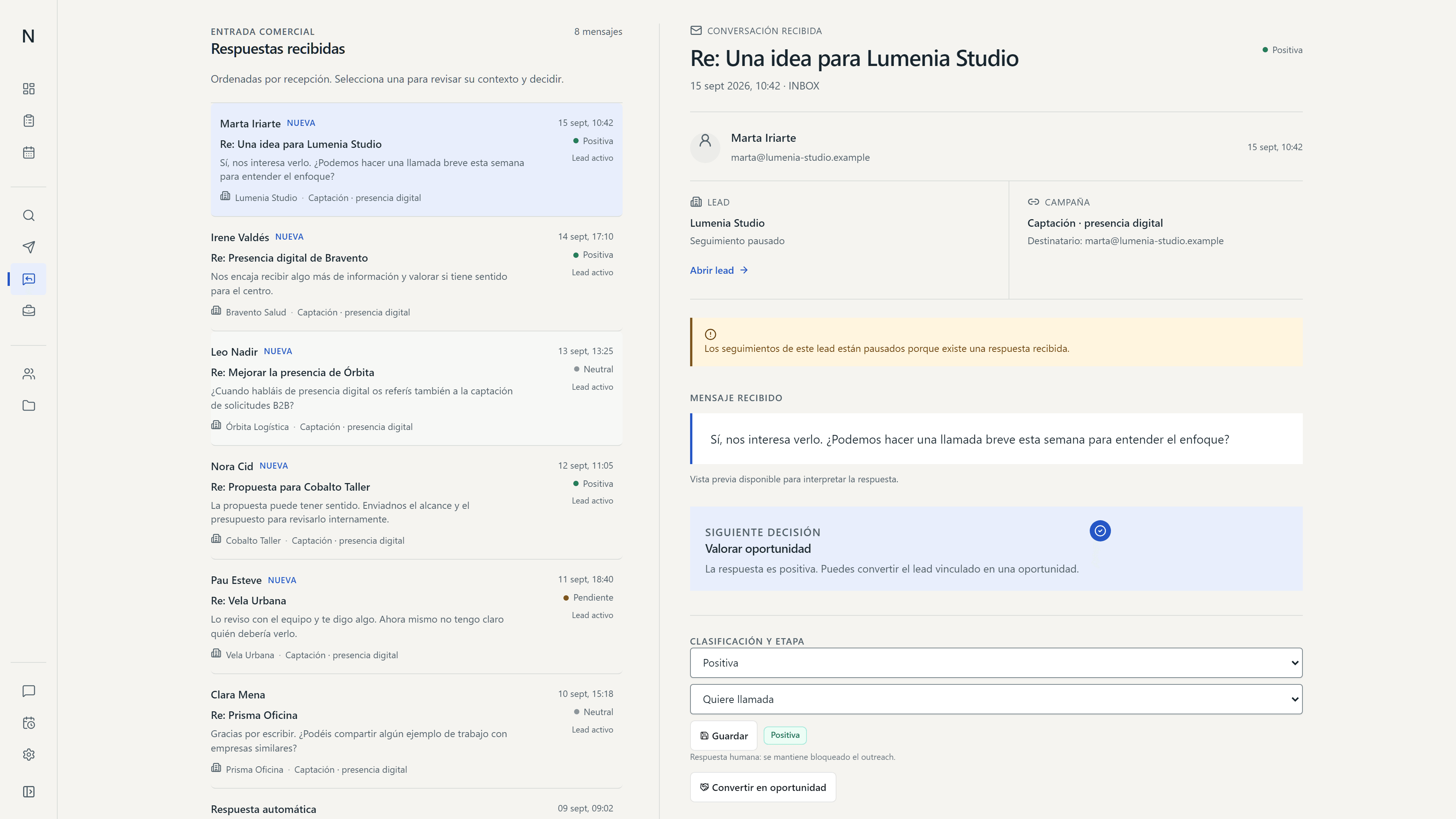
A positive reply can open an opportunity.
The team reviews the interest before assigning follow-up.
Replies categorises each response. In Opportunities, the team assigns a stage and a task to pick up the contact.
Classify the interest in a reply.
The team marks replies that deserve review or follow-up.
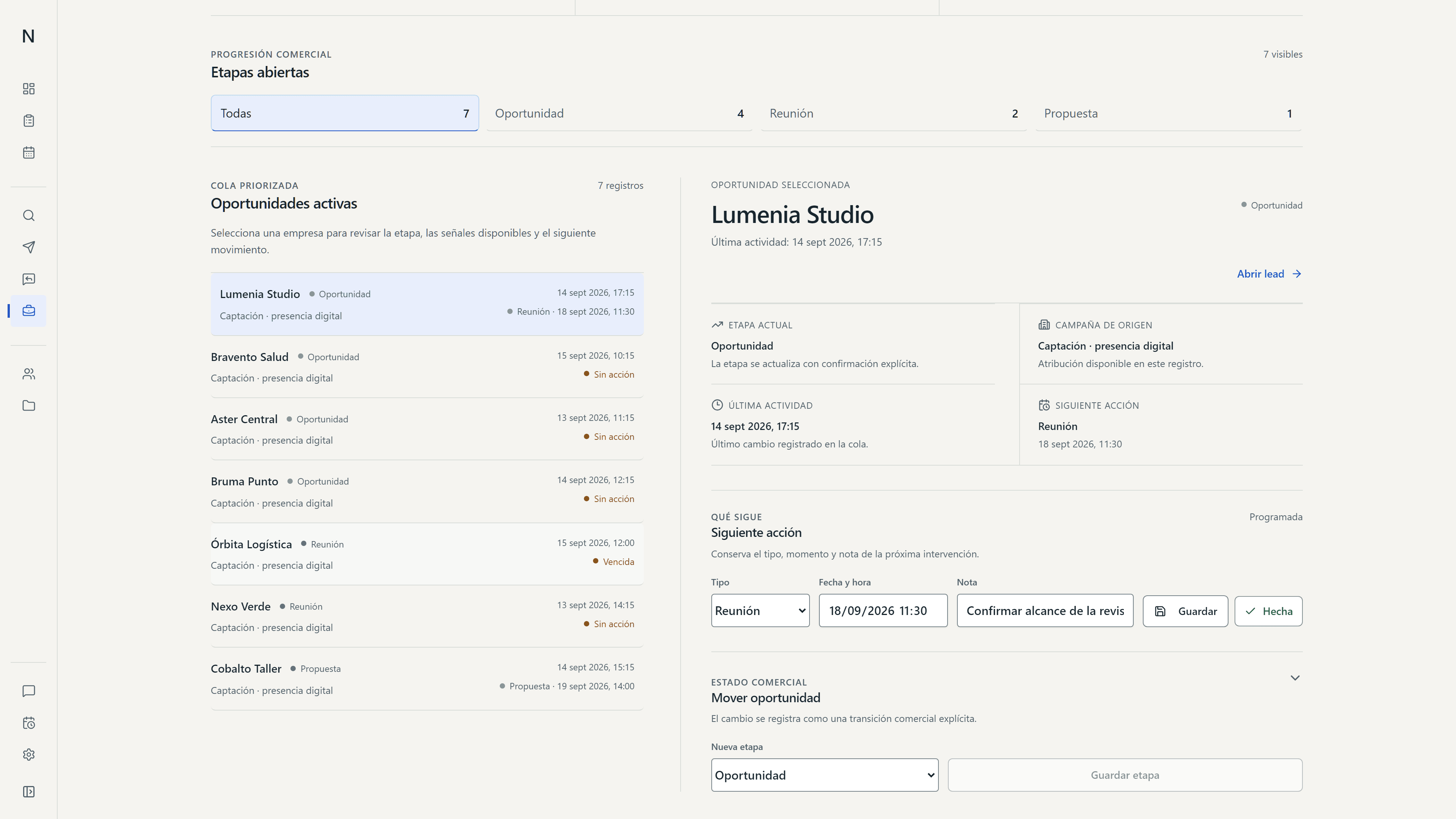
Assign a stage and follow-up task.
Each record shows the opportunity status and the task waiting to pick up the contact.
Each view brings one decision forward.
- HIERARCHY
Prioritise open signals.
Panorama highlights replies and opportunities waiting for review before showing the rest of the metrics.
- STRUCTURE
One view for each task.
Panorama summarises activity; Leads organises companies; Agent prepares plans and Automations records their execution.
- CONTINUITY
Show the state of the work.
Labels show what is pending or in progress so the team can pick it up again.
- MOTION
Motion with a clear consequence.
Transitions show which record is selected or which state changes.
The prototype covers the main sales tasks.
The prototype shows review, preparation, execution and follow-up.
Panorama prioritises signals and Leads keeps activity by company. Agent prepares reviewable plans and Automations records their execution. Replies categorises responses; Opportunities assigns a stage and follow-up task.
- REVIEWPanorama · Leads
Check signals and sales activity.
- EXECUTIONAgent · Automations
Review the plan and check its execution.
- FOLLOW-UPReplies · Opportunities
Classify replies and assign a task.
The map describes the journey shown in the product; it does not represent its technical architecture.
An internal Adame product.
The screens belong to a prototype using synthetic data.
This case documents product, design and prototyping decisions. Commercial results have not been measured yet.